Banco Sabadell is a multinational Spanish bank and the fourth-largest bank in the country with a base of 12 million customers. A UI/UX audit reveals why the mobile app experience is so challenging for customers. Basic wire framing and prototyping reveals how to condense and modernize the interface to provide a frictionless user experience.
AUDIT OF ORIGINAL DESIGN
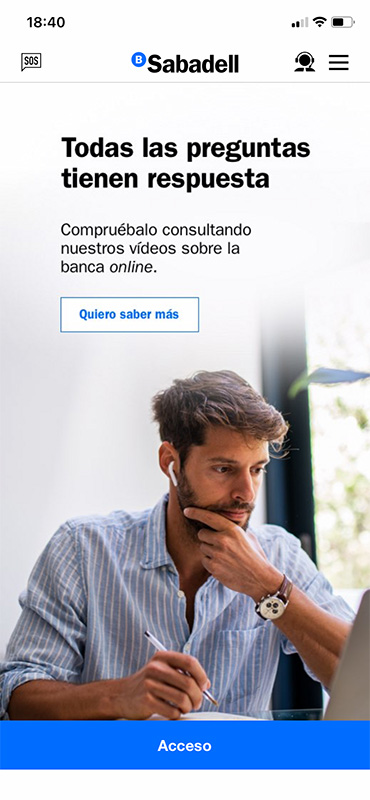
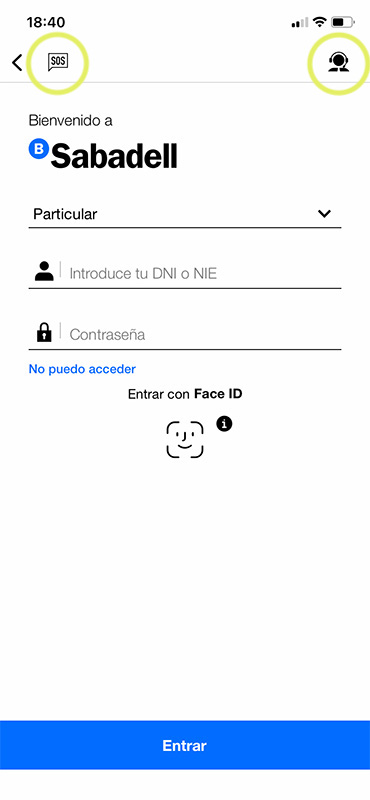
The original mobile experience commits a classic responsive design sin: translating the desktop design directly into the mobile space without considering user handed-ness and the unique way we interact with our phones, including thumb reach.
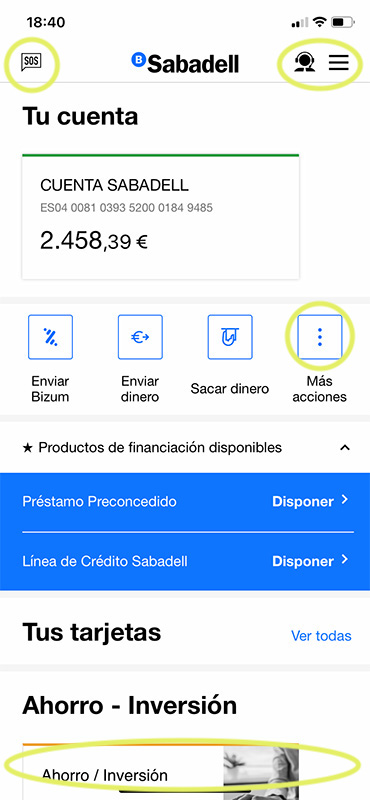
This is evident in the fact that the mobile menu is provided at the top of the screen when it should be placed at the more easily accessible bottom. Mobile designs should (almost) always have the navigation menu at the bottom of the screen for this reason. This design has the added oddity of having major navigation items in the middle of the screen.
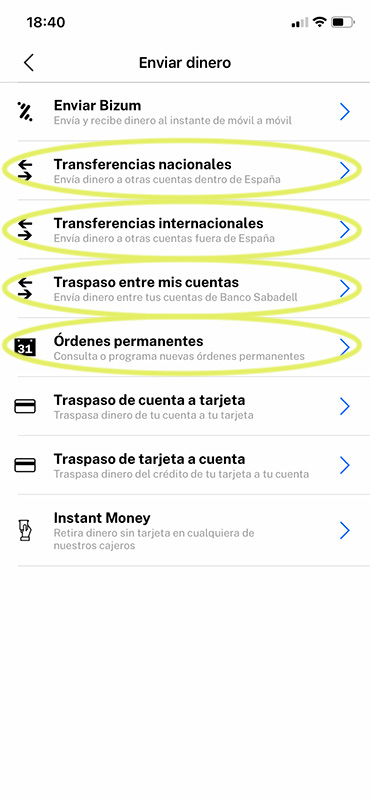
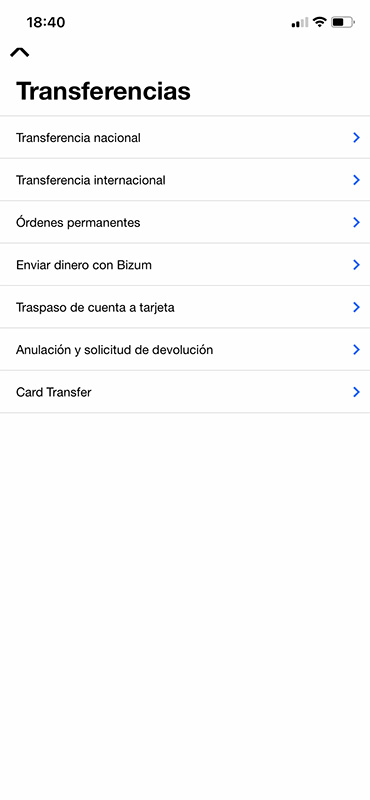
Not only do we have the same actions options repeating under multiple item menus, which signals a lack of content organization prior to development and a lack of attention to user flow, we have multiple clicks for different transfers: national, international, and recurring payments (all circled) that can easily be combined.
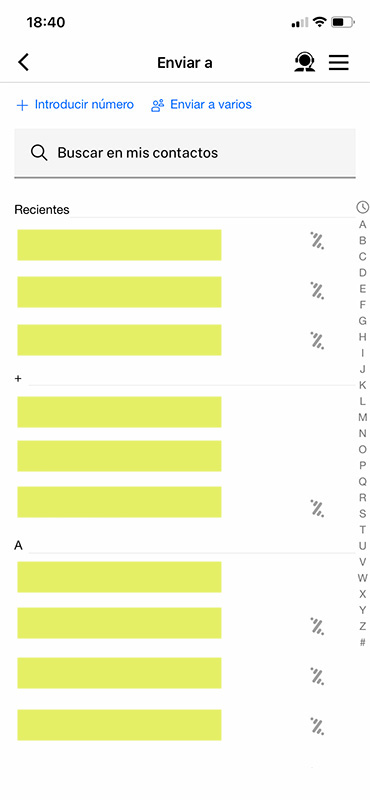
The page for sending a cash is not so egregious. The Bizum logo indicates who is already set up to receive money, and the contact index on the right gives me an idea of how to find the correct contact.
“Introducir número” is fine, but could be more prominently displayed. This text (Input a mobile number) also doesn’t indicate if this number will be saved in the future. Even “Añadir contacto” (Add contact) would be an improvement.
Finally, the hamburger menu. By clicking “Send Bizum” I’ve already indicated to the app that I’m interested in sending money. I don’t need the option to review my finances or apply for a credit card in the middle of another task. A back button is just fine.
NEW DESIGN: WIREFRAMING & PROTOTYPING
Changes include:
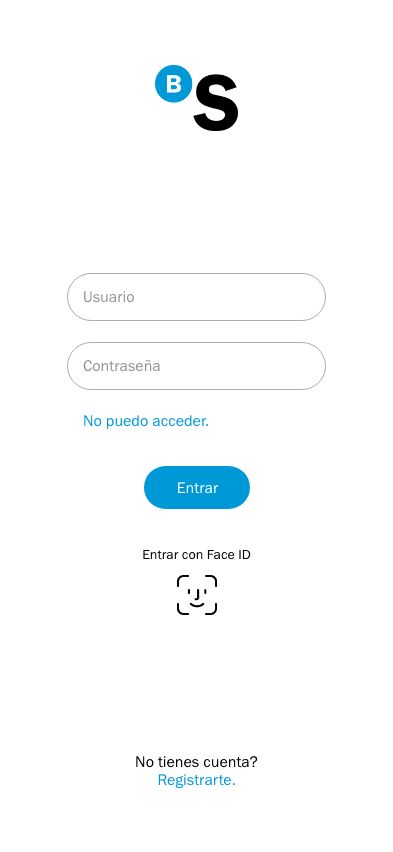
Simplified landing screen with one login option (The login function should not vary based on my account type, as it did previously.)
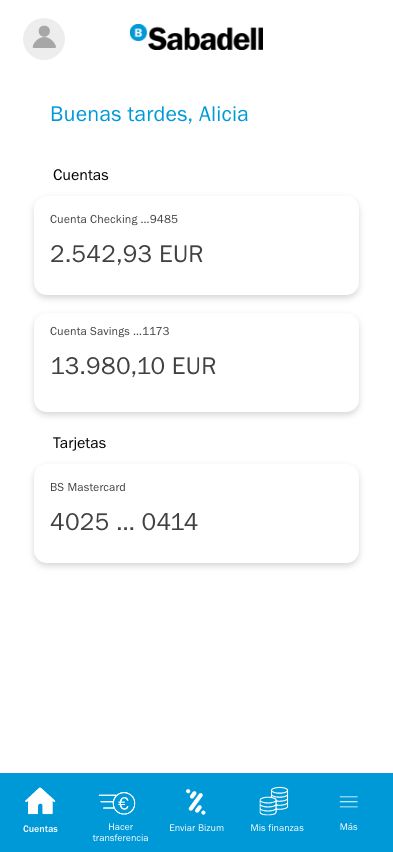
One menu located at the bottom with some navigation options selected based on use frequency and importance
Personalized touch with a custom greeting.
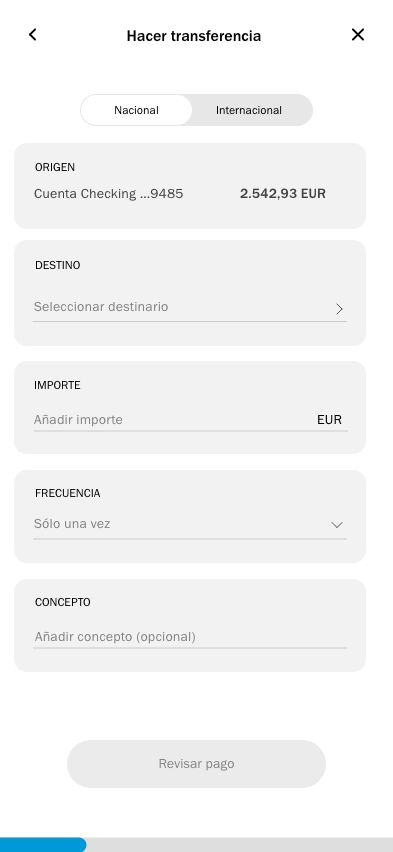
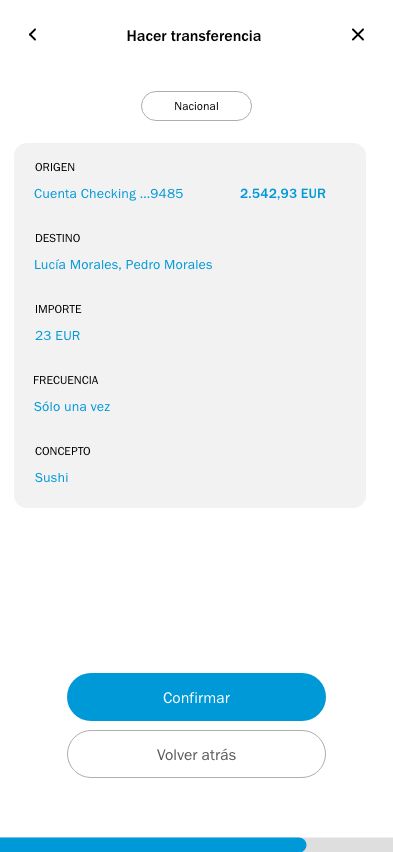
For transferring funds, the national/international option bar at the top allows me to choose my destination country while reducing clicks.
The checking account has also been pre-selected to reduce clicks, as it is the only account I could send a transfer from.
“Frecuencia” (Creating a recurring payment) has been integrated into this task flow.
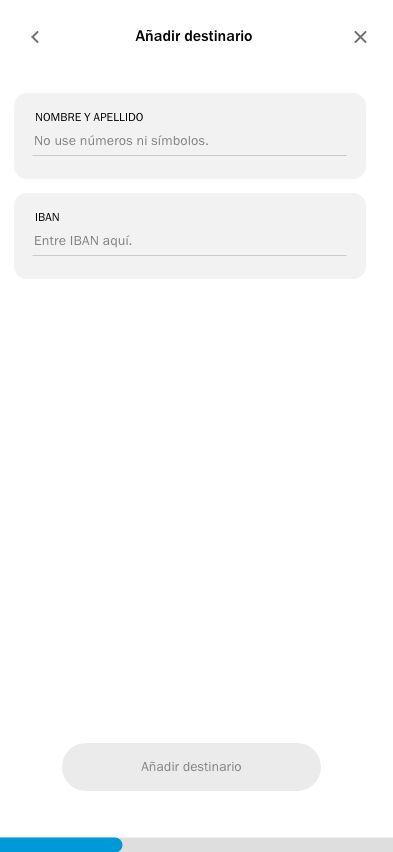
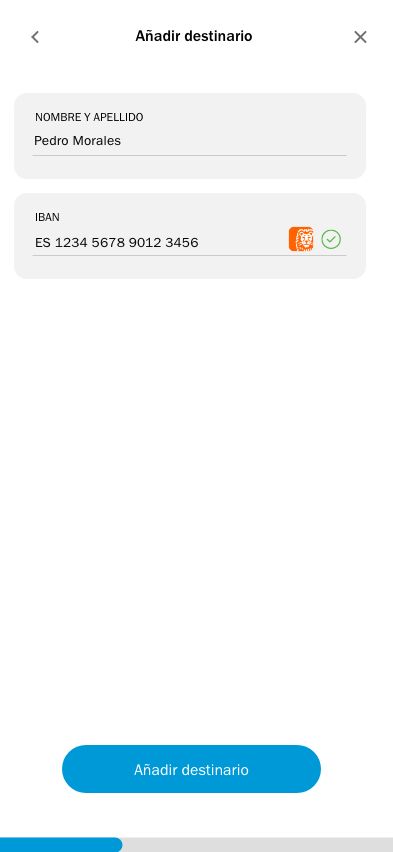
Also added is a progress bar at the bottom of the screen to indicate how many more steps until completion.
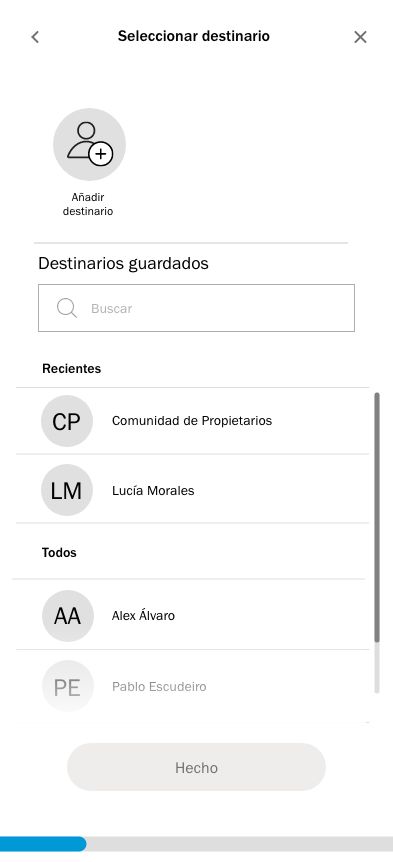
We can select as many recipients as we want. Once our sections are filled out, the button “Revisar transferencia” (Review transfer) prevents user anxiety by signalling the option to review the information.
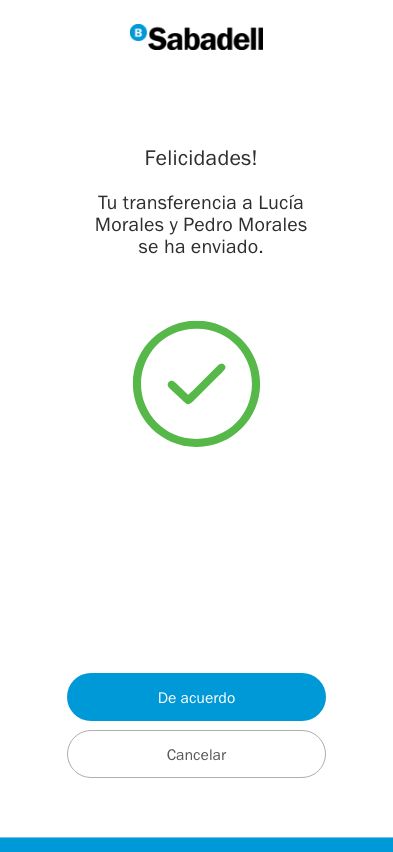
Reducing friction is essential to building brand assets that clients enjoy using. With this redesign, we’ve reduced the number of clicks for making a transfer, reduced the menu options for greater clarity, and added fool-proof indications to guide the user experience.
Have a project like this you need help with? Get in touch.